
View negatives live
Point your camera at a film negative and see the hidden image take shape on screen while you work.
Red Door Apps No. 01 · Film photography
VintVue is a precision viewing tool for the negatives that have spent a lifetime in drawers, boxes, and closets—waiting to become photographs again.
Requires a light table or other backlight

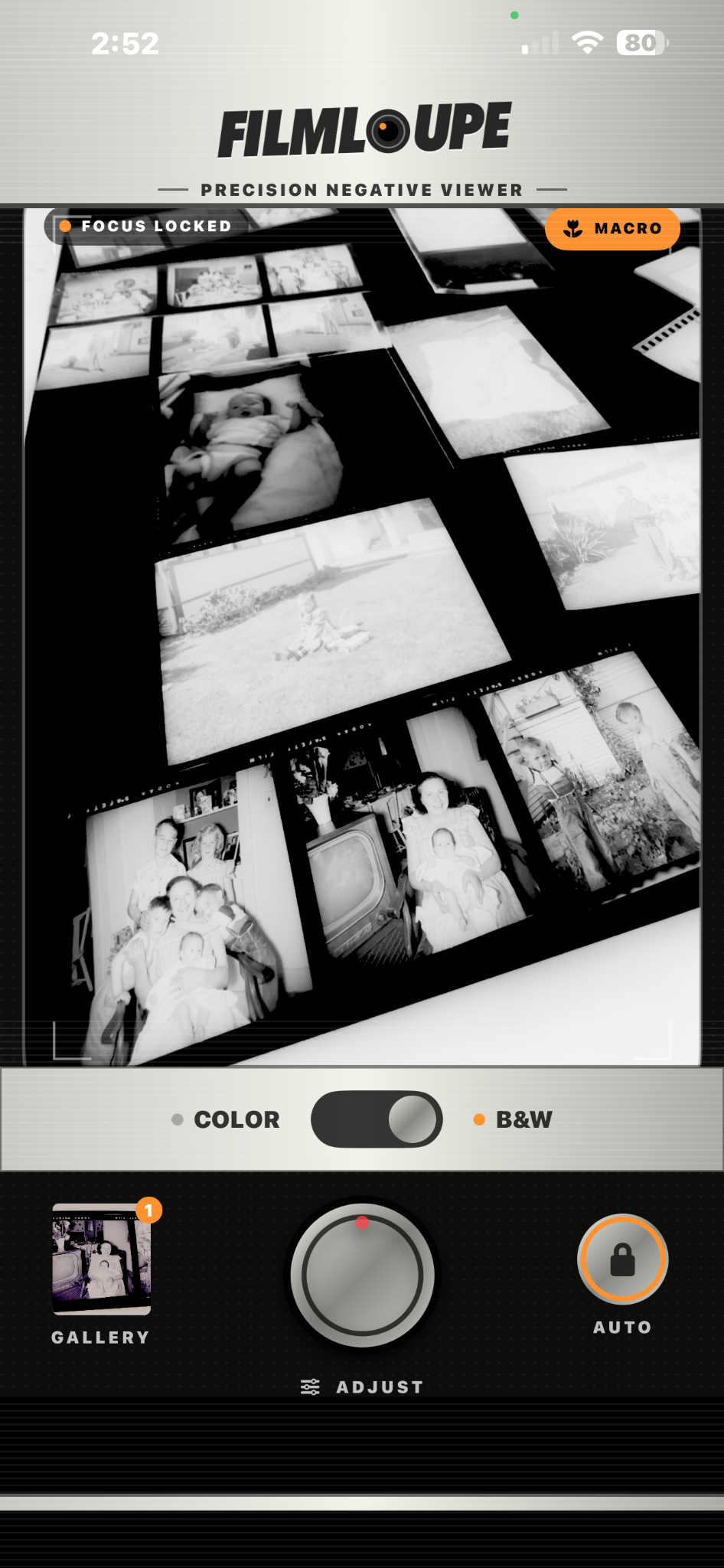
Same frame. Instantly understandable. Give the film even light, point VintVue at it, and see the photograph hiding inside.
The idea
VintVue helps you look through forgotten frames, understand what they contain, and reconnect with photographs that may never have been printed or seen clearly.
Interactive view
Drag the control to move between the film negative and the image hidden inside it. This is the core of VintVue: immediate visual understanding, with precise control close at hand.
Drag anywhere across the image
Precision without clutter
Point your camera at a film negative and see the hidden image take shape on screen while you work.
Choose the viewing mode that matches the film in your hand and keep the tools focused on the image.
Fine-tune the view so faint detail, difficult exposure, and aging film are easier to understand.
How it works
Place the film in front of a bright, even light source so the frame can be read clearly.
Choose the mode that matches the film and bring the negative into the live view.
Use the focused image controls to reveal detail and understand what has been waiting on the film.
Available on the App Store
Turn the film you already have into photographs you can finally see, adjust, and save.